Select Currency
Suggested currencies:
All currencies:


You can change the travel date for the following ticket types only, subject to the applicable terms and conditions:
| Standard Tickets | Season Passes |
|---|---|
| Standard Tickets purchased via the KLIA Ekspres website, mobile app and Self-Service Kiosk (SSK) are eligible for a travel date change, provided the request is made before the selected Travel Date. Eligible ticket types
|
Season Passes purchased via the KLIA Ekspres mobile app are eligible for a Start Travel Date change, provided the request is made before the selected Start Travel Date.
|
Yes, you can change to an earlier date, provided it falls within the ticket’s validity period and between the purchase date and the original travel date.
No, once part of the ticket/pass has been used or started, changes to the unused portion are not allowed.
No, only one change is allowed. Further changes are not permitted.
A Standard Ticket may be eligible for a travel date change if the request is submitted before the original travel date and the new travel date is within 6 months of the purchase date.
Examples of Standard Ticket request scenarios and whether a travel date change is permitted.
| No. | Purchased Date |
Original Travel Date |
Ticket Expiry Date |
Change Request Date |
Requested Travel Date |
Outcome | Reason |
|---|---|---|---|---|---|---|---|
| 1 | 01 Jul 2026 | 01 Aug 2026 | 31 Aug 2026 | 01 Jul 2026 | 01 Jan 2026 | Allowed | Change request meets all eligibility requirements. |
| 2 | 01 Jul 2026 | 01 Aug 2026 | 31 Aug 2026 | 10 Jul 2026 | 15 Jul 2026 | Allowed | Requested travel date is within 6 months of the purchase date. |
| 3 | 01 Jul 2026 | 01 Aug 2026 | 31 Aug 2026 | 15 Aug 2026 | 15 Jul 2026 | Not Allowed | Requested travel date falls within the ticket's original validity period. |
| 4 | 01 Jul 2026 | 01 Aug 2026 | 31 Aug 2026 | 10 Jul 2026 | 15 Sep 2026 | Allowed | Requested travel date is within 6 months of the purchase date. |
| 5 | 01 Jul 2026 | 01 Aug 2026 | 31 Aug 2026 | 10 Jul 2026 | 15 Jan 2027 | Not Allowed | Requested travel date is more than 6 months after the purchase date. |
| 6 | 01 Jul 2026 | 01 Aug 2026 | 31 Aug 2026 | 15 Aug 2026 | 01 Sep 2026 | Not Allowed | Change request was submitted after the original travel date. |
Note: If the requested travel date falls within the ticket's existing validity period, no travel date change is allowed.
A Season Pass may be eligible for a travel date change if the request is submitted before the original start travel date and the new travel date is within 1 month (31 days) of the purchase date.
Examples of Season Pass request scenarios and whether a travel date change is permitted.
| No. | Purchased Date |
Original Travel Date |
Change Request Date |
Requested Travel Date |
Outcome | Reason |
|---|---|---|---|---|---|---|
| 1 | 01 Jul 2026 | 20 Jul 2026 | 01 Jul 2026 | 01 Jan 2026 | Allowed | Requested start travel date is within 31 days of the original travel date. |
| 2 | 01 Jul 2026 | 20 Jul 2026 | 10 Jul 2026 | 15 Jul 2026 | Allowed | Requested start travel date is within 31 days of the original travel date. |
| 3 | 01 Jul 2026 | 20 Jul 2026 | 10 Jul 2026 | 25 Jul 2026 | Allowed | Requested start travel date is within 31 days of the original travel date. |
| 4 | 01 Jul 2026 | 20 Jul 2026 | 10 Jul 2026 | 5 Aug 2026 | Not Allowed | Requested start travel date is more than 31 days after the original start travel date. |
| 5 | 01 Jul 2026 | 20 Jul 2026 | 23 Jul 2026 | 25 Jul 2026 | Not Allowed | Change request was submitted after the original start travel date. |
For any issues or enquiries regarding travel date changes, please contact our Customer Enquiry team at +603 2267 8000 or email us at CustomerEnquiry@KLIAekspres.com. Our operating hours are from Monday to Friday, 8:30 AM to 6:00 PM.
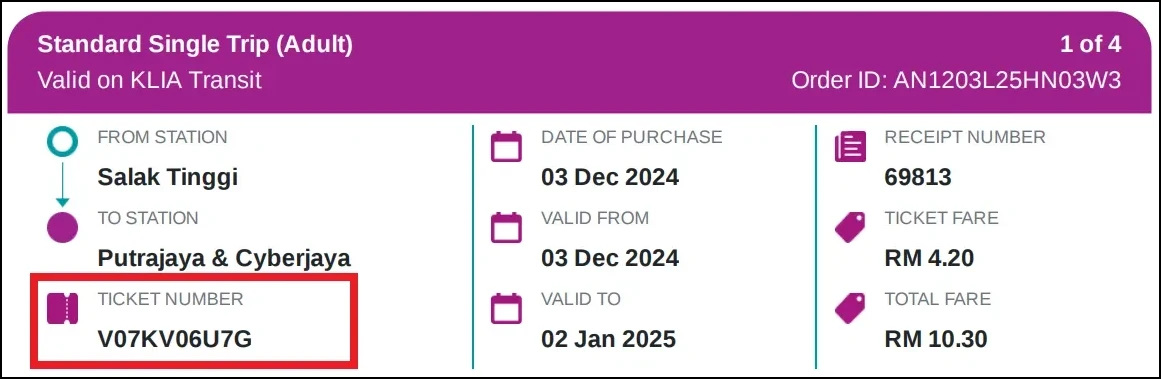
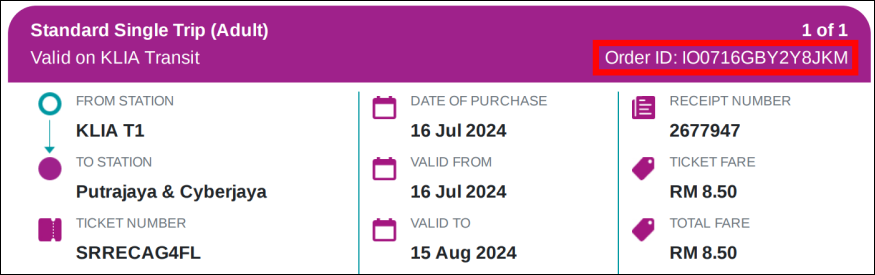
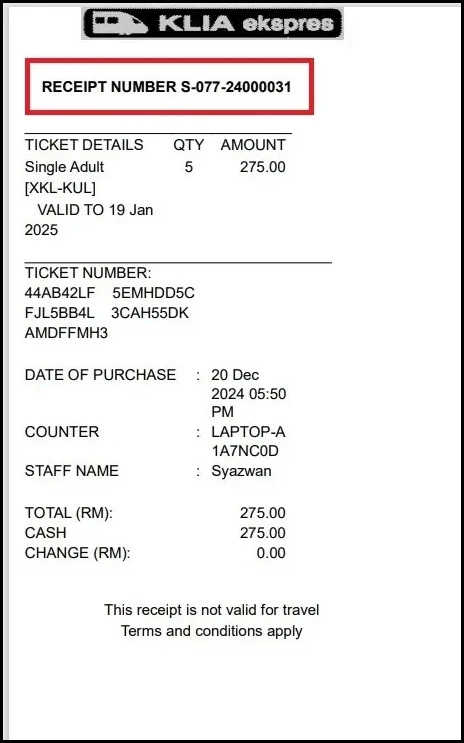
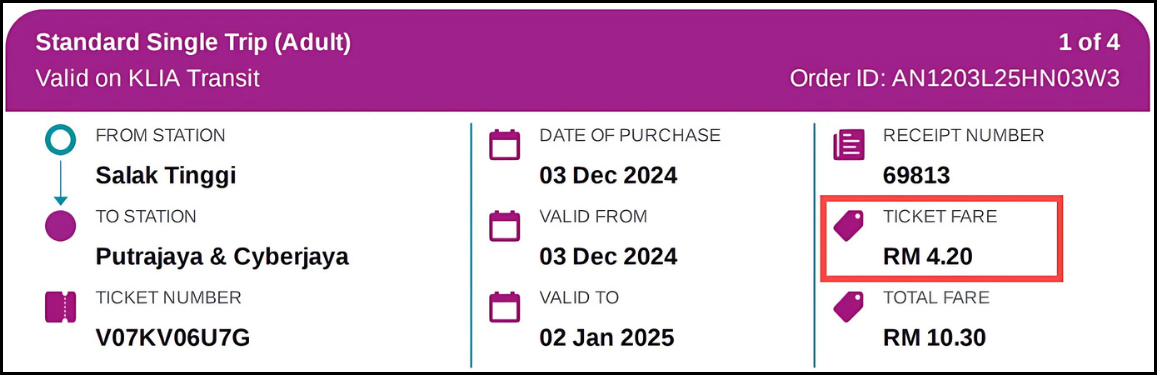
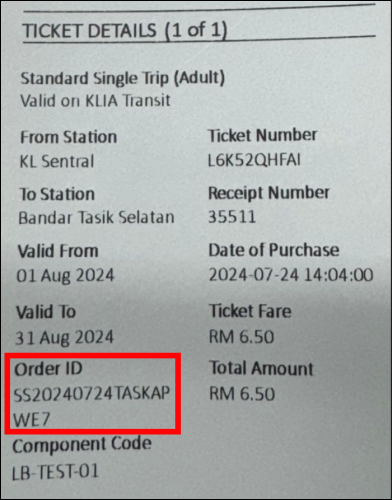
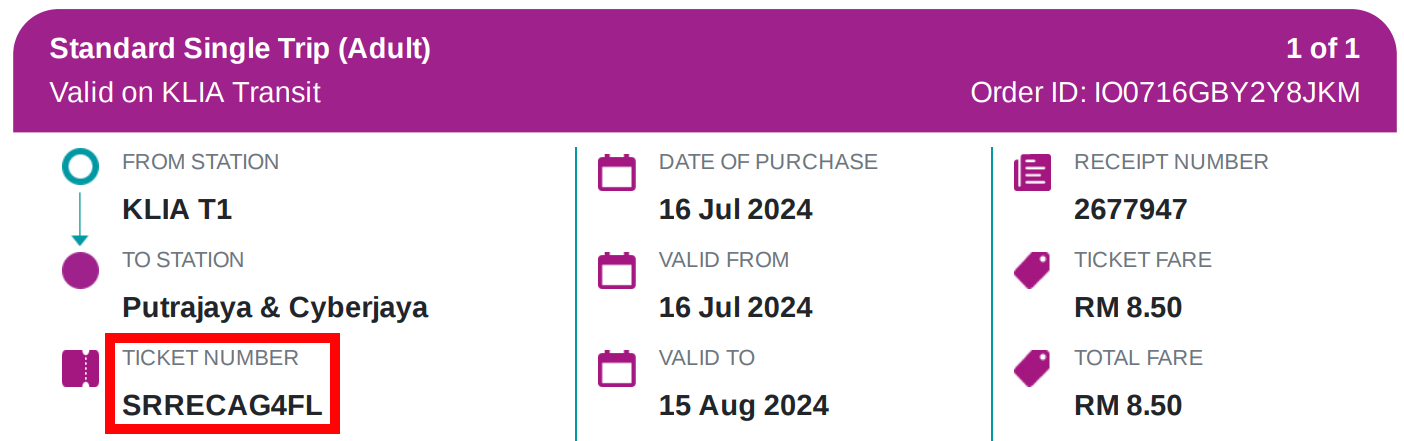
You can find your Order ID in your Ticket/Receipt details.
The Order ID is displayed at the top right corner of the ticket/receipt attachment in your received email upon purchased. Example in the booking shown below. 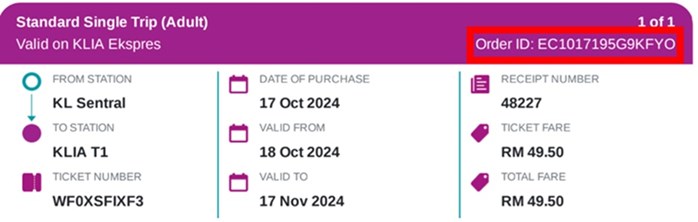
If you purchased your ticket via the KLIA Ekspres Website or Mobile App as a registered user, sign in to My Booking to view your ticket details, including the Order ID.
If you purchased via a Self-Service Kiosk (SSK), the Order ID can be found on your printed ticket or in the e-ticket attached to your email confirmation.
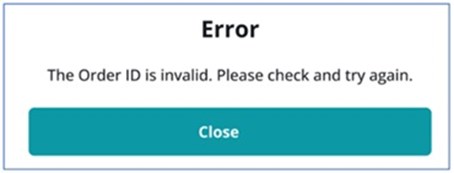
This error message appears when the Order ID entered cannot be found or does not match an eligible ticket/pass in our system.
Please check that:
If the error persists after verifying your Order ID, please contact our Customer Service team for assistance.